iPhone setup guide · iOS 16+
A little space, when you need it.
Set up offglass on your iPhone, keep your intentions in view, and make room before opening a distracting app. No Mac or offglass account is needed.
Already installed? Go straight to setup.
Get the iPhone beta
Public App Store release is not available yet. To try the free TestFlight beta, join the beta and confirm your email. The confirmed page gives you the iPhone invitation. Install Apple’s TestFlight app, then open the invitation on your iPhone and install offglass. If the beta is full or unavailable, contact support@clawlet.ai.
1. Choose the apps to protect
Open offglass and choose whether to share optional usage analytics. You can continue without analytics. Review Screen Time access and continue to Apple’s permission prompt. Once access is allowed, choose 1–50 individual apps and start protection.
2. Leave yourself a note
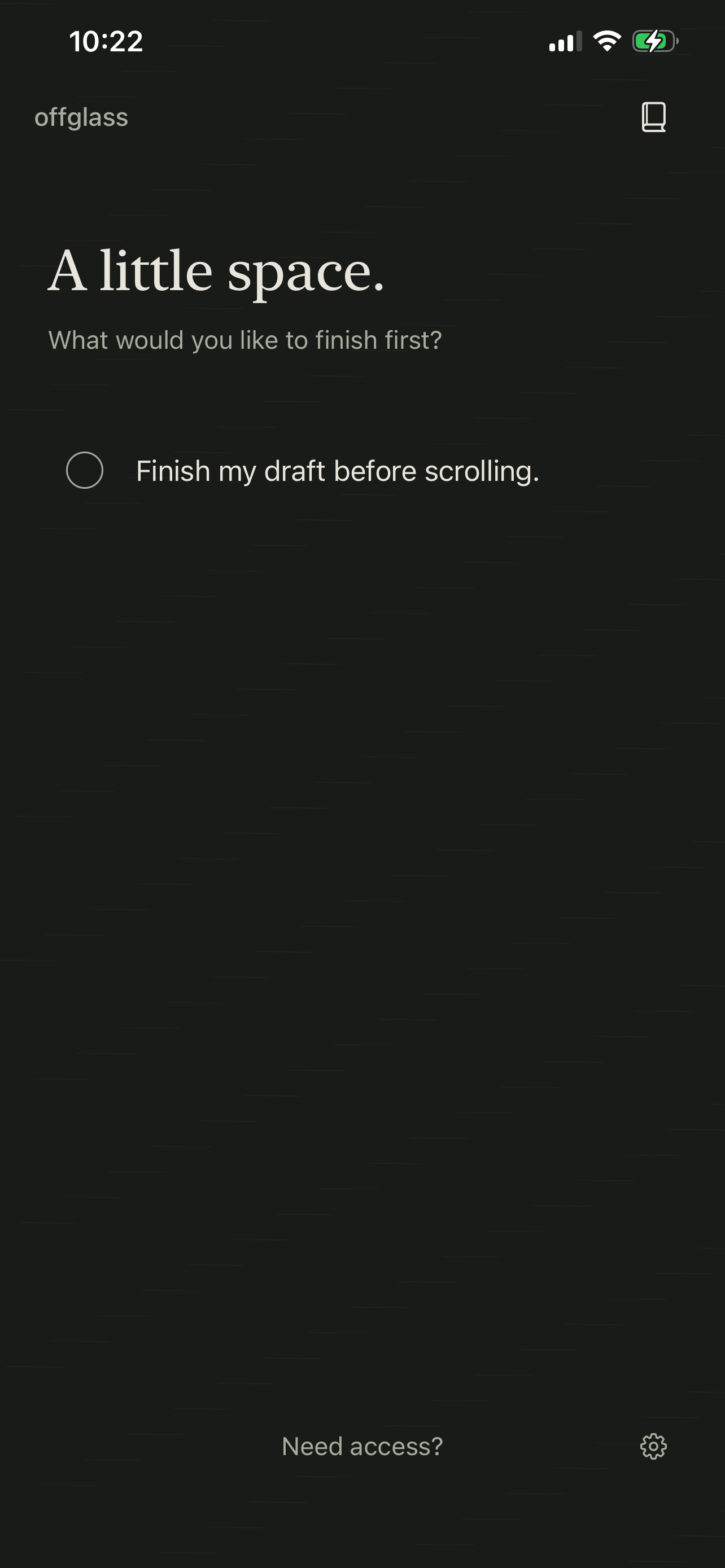
Add a reminder about what you want to finish before scrolling. Use the book button to manage notes. Tap a note’s text to open and edit it; tap its circle to complete it and remove it from your list.
3. Try a protected app
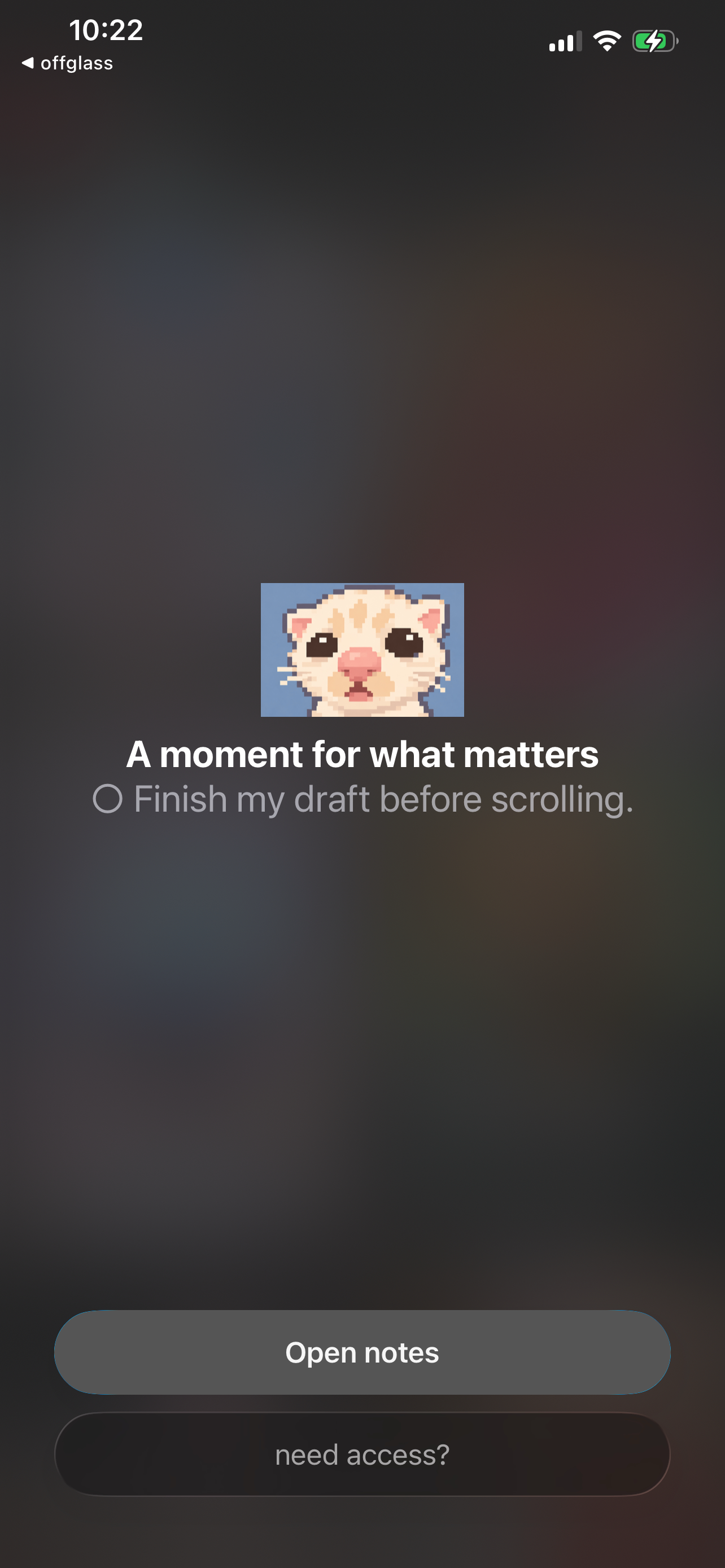
Open one of the apps you selected. The offglass shield shows your reminder. Tap Open notes to return to offglass.
4. Take timed access
Tap Need access? and choose 5, 15, or 30 minutes. Your selected apps become accessible until the countdown ends, then offglass shields them again. Protection and access timers work locally, including offline.
Restore access whenever you need it
Open offglass Settings and use Restore to stop protection. Local restoration works offline and remains available without subscription access. You can start protection again when you are ready. The device owner can also revoke offglass access in iPhone Settings → Screen Time.
Need help? Visit Support or email support@clawlet.ai.